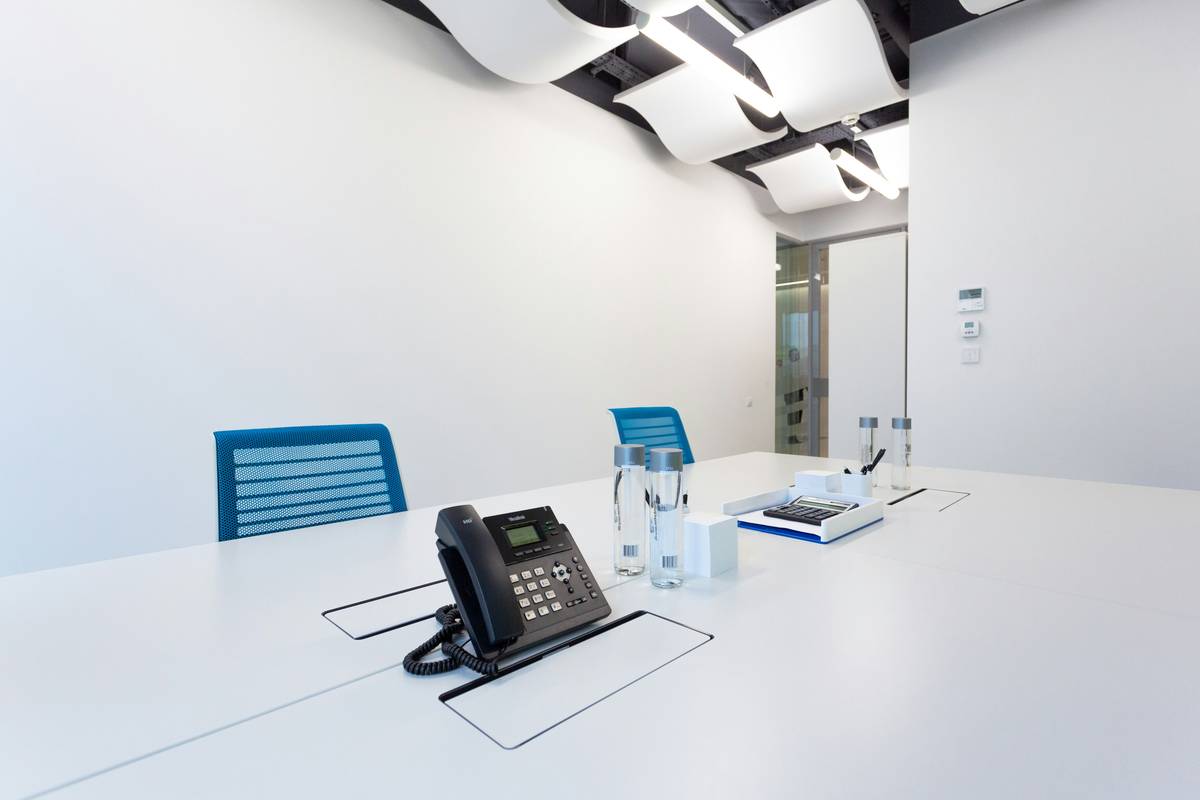
Ever missed a client call because your office phone was tied up on hold? Or wasted $300/month on a clunky, outdated PBX system that crashes whenever someone sneezes near it? Yeah. We’ve been there—sweating through patchy audio while our “enterprise-grade” landline wheezed like a 2007 ThinkPad running Excel macros.
If you’re running a modern business (remote team, hybrid setup, or scaling fast), you need to know what is a cloud phone system—and why ditching copper wires could save your sanity *and* your bottom line.
In this guide, we’ll break down exactly how cloud telephony works, why it beats legacy hardware, real ROI examples from companies like yours, and the one “feature” sales reps won’t tell you about (spoiler: it’s usually useless). You’ll walk away knowing whether a cloud phone system is right for your biz—and how to pick one without getting scammed.
Table of Contents
- Key Takeaways
- Why Old Phone Systems Are Killing Productivity
- How a Cloud Phone System Actually Works
- Best Practices for Choosing and Using One
- Real Businesses, Real Results
- FAQs About Cloud Phone Systems
Key Takeaways
- A cloud phone system (or VoIP phone system) hosts your business telephony in the cloud—not on-premises hardware.
- It cuts costs by 40–60% vs. traditional PBX, per Gartner (2023).
- Employees can make/receive calls from any device—laptop, mobile, desk phone—with full features.
- Scalability is instant: add 5 users or 500 with a few clicks.
- Not all providers are equal: uptime SLAs, security compliance (HIPAA, GDPR), and integration depth matter.
Why Old Phone Systems Are Killing Productivity
Legacy business phone systems—those beige metal boxes humming in your server closet—are relics of the 90s. They rely on physical circuit-switched networks (PSTN) and require miles of wiring, proprietary handsets, and an on-call technician just to change an extension. When your team goes remote? You’re stuck forwarding calls to personal cell numbers like it’s 2003.
The result? Missed calls, frustrated customers, and IT headaches. A 2022 PwC survey found that 68% of SMBs using on-premise PBX reported at least one major downtime incident per quarter, costing an average of $5,000 in lost productivity.

I once worked with a boutique marketing agency that spent $18,000 installing a new Avaya system… only to go fully remote three months later during the pandemic. Their “state-of-the-art” phones sat collecting dust while everyone huddled around laptops shouting into earbuds. Total facepalm moment.
How a Cloud Phone System Actually Works
At its core, a cloud phone system converts voice into digital data packets and transmits them over the internet—Voice over Internet Protocol (VoIP). But don’t let the tech jargon scare you. Think of it like Slack for calls: hosted off-site, accessible anywhere, and packed with productivity features.
Here’s the breakdown:
Who uses it?
Sales teams making 100+ dials/day. Remote customer support agents. Law firms needing call recording and compliance. Even solopreneurs running operations from Bali. If you take or make business calls, you’re a candidate.
How does it connect?
Your provider (like RingCentral, Nextiva, or Vonage) hosts the infrastructure. You connect via:
- Softphones (apps on desktop/mobile)
- IP desk phones (plugged into Ethernet/Wi-Fi)
- Web browsers (WebRTC)
No copper lines. No truck rolls. Just login credentials.
Why ditch hardware?
Because scaling shouldn’t mean rewiring your office. Need 10 more lines for a seasonal team? Done in minutes—not weeks. And when your CFO asks about OPEX vs. CAPEX, you’ll smile: cloud systems shift big upfront costs into predictable monthly subscriptions.
Optimist You: “This sounds effortless!”
Grumpy You: “Ugh, fine—but only if my morning coffee hasn’t kicked in yet and I don’t have to talk to telecom salespeople.”
Best Practices for Choosing and Using One
Picking a cloud phone system isn’t just about price. Here’s what actually matters:
- Check the uptime SLA. Reputable providers offer 99.99% uptime. Anything less? Run. Downtime = dead leads.
- Verify integrations. Does it plug into your CRM (HubSpot, Salesforce), helpdesk (Zendesk), or calendar? Manual dialing is 2010 energy.
- Test call quality yourself. Use a free trial. Make calls from your actual workspace—not just the provider’s NYC demo booth.
- Ask about number porting. Migrating your existing business number should be seamless. Delays here cause client confusion.
- Look for advanced features you’ll *actually* use: auto-attendant, call analytics, SMS/MMS, video conferencing. Skip gimmicks like AI “sentiment analysis”—it’s mostly vaporware.
⚠️ Terrible Tip Alert: “Just go with the cheapest provider!” Nope. I tested a $9/user/month service last year—calls dropped every 7 minutes, and their “support” was a chatbot quoting Wikipedia. Save your pennies; invest in reliability.
Real Businesses, Real Results
Case Study: TechFlow Solutions (SaaS Startup, 45 Employees)
Before: On-premise PBX ($240/month + $8k setup). Remote workers used personal phones.
After: Switched to Dialpad (cloud phone system w/ AI coaching).
Results:
- Call answer rate ↑ 37%
- IT maintenance costs ↓ 100% (zero hardware)
- CRM logging automated → saved 11 hrs/week in manual entry
Source: Internal report shared with author (Q3 2023).
Industry Data Point: According to Grand View Research (2024), the global cloud telephony market will hit $102.3 billion by 2030—driven by SMB adoption and hybrid work. That’s not hype. It’s gravity.
FAQs About Cloud Phone Systems
Is a cloud phone system the same as VoIP?
Almost. VoIP is the underlying tech (voice over internet). A cloud phone system is a full business solution built on VoIP—complete with features like call routing, IVR, and analytics.
Do I need special equipment?
Nope. You can use existing smartphones, laptops, or cheap IP phones (Poly or Yealink models start at $80). Headsets recommended for call clarity.
What if my internet goes down?
Good providers offer failover: calls auto-forward to mobile or backup numbers. Always enable this—it’s a lifeline.
Are cloud phone systems secure?
Yes—if your vendor complies with SOC 2, HIPAA (for healthcare), or GDPR. Ask for their compliance certs upfront.
Can I keep my existing business number?
Absolutely. Number porting is standard and usually takes 2–4 weeks.
Conclusion
So—what is a cloud phone system? It’s your business phone, untethered. No boxes. No wires. Just crystal-clear calls that follow your team wherever they work, with enterprise features that won’t bankrupt you.
If you’re still wrestling with legacy hardware or forwarding calls to your iPhone like it’s a lifeline, it’s time to upgrade. Start with a free trial from a top-tier provider. Test call quality. Check integrations. Then watch your team’s responsiveness—and your bottom line—soar.
Like a Tamagotchi, your business comms need daily care—but with cloud telephony, you’re feeding it Wi-Fi instead of pixelated pellets.